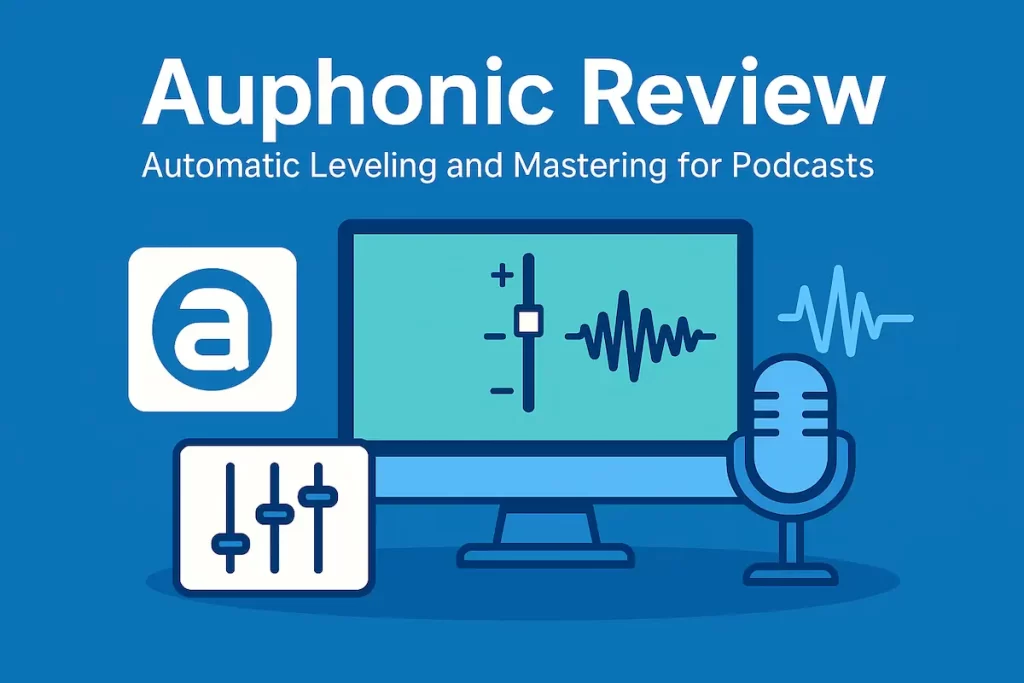
Auphonic Review: Automatic Leveling and Mastering for Spoken-Word Audio
Auphonic is not a full DAW, not a text-based editor, and not a noise reduction plugin in the traditional sense. Instead, it sits at the end of your chain as an “automatic mastering and leveling engine” for podcasts, interviews, livestreams, and other spoken-word content.
You feed Auphonic one or more audio tracks, choose a target loudness, enable options like noise and hum reduction, and let its algorithms balance levels, control peaks, and produce a consistent, platform-ready file. In this review, we’ll look at where Auphonic fits in compared to tools like Descript, Adobe Podcast Enhance, and other options in the Voice Cleanup & Enhancement stack.
AI Audio Gear may earn a commission if you purchase through links on this page, at no extra cost to you.
Auphonic at a Glance
- Best for: Podcasters, interview shows, and YouTubers who want consistent volume and clarity.
- Strengths: Loudness normalization, speaker leveling, gentle noise/hum reduction, multi-track support.
- Weak spots: Not a full editor, less suited for music-heavy or sound-design-heavy shows.
- Ideal stack: Edit in Descript or a DAW → clean with Adobe Podcast Enhance if needed → finish in Auphonic.
- Bottom line: Auphonic is an efficient “finishing move” that makes spoken-word audio sound more professional with very little effort.
Quick Verdict
Auphonic is best thought of as an “intelligent last step” for your audio, not a full editor. It shines at:
- Leveling host and guest volumes so nobody sounds too loud or too quiet.
- Hitting consistent loudness targets for podcast platforms and streaming services.
- Applying tasteful, program-dependent compression, limiting, and basic EQ.
- Reducing background noise and hum when needed.
It’s less ideal if you:
- Want complete, manual control over every EQ band and compressor parameter.
- Need a full editing environment with timeline, cuts, and multi-take management.
- Are primarily working on music mixes rather than spoken-word.
Bottom line: If you already have an editing workflow (whether in a DAW or something like Descript) and want one tool to “finish” your audio reliably, Auphonic is an extremely efficient way to get there.
Who Auphonic Is For
- Podcasters who want consistent loudness and balance across episodes without mastering everything by hand.
- Interview and panel show producers dealing with guests on different mics, at different distances, in different rooms.
- YouTubers who record talking-head content and want a quick way to normalize levels before upload.
- Non-engineers who don’t want to learn all the details of loudness standards, compressors, and limiters.
If your content is voice-first and you care about consistent volume, clarity, and platform-appropriate loudness, Auphonic can handle a big chunk of the “make this sound professional” part for you.
Key Features for Podcast and Spoken-Word Audio
1. Loudness Normalization and Target Levels
Auphonic’s most important job is loudness normalization. It analyzes your audio and adjusts levels to hit specific loudness targets (for example, podcast-standard values like –16 LUFS for stereo or –19 LUFS for mono).
- Makes episodes consistent with each other over time.
- Helps avoid surprise jumps in volume between shows or segments.
- Aligns your content with common platform guidelines.
Instead of manually riding faders or guessing with a limiter, you let Auphonic handle the math and the normalization.
2. Intelligent Leveling Between Speakers
In real podcast recordings, hosts and guests don’t always match each other perfectly in volume. Auphonic’s leveling system analyzes the content and adjusts different parts so that speakers sit at a more consistent perceived loudness.
- Reduces the “lean forward for the guest, lean back for the host” problem.
- Helps panel discussions feel more cohesive.
- Still leaves natural dynamics instead of flattening everything.
It’s not a replacement for good gain staging at the recording stage, but it can clean up a lot of real-world inconsistencies.
3. Noise and Hum Reduction
Auphonic also includes noise and hum reduction options aimed at common issues in spoken-word recordings: constant background noise, low-frequency hum, and similar distractions.
- Can tame HVAC noise, computer fans, and electrical hum.
- Best used on reasonably clean recordings – it’s not a miracle worker for wrecked audio.
- Pairs well with more aggressive cleanup tools if you chain them together.
If you’re already using tools like Adobe Podcast Enhance or other heavy-duty cleaners earlier in your chain, Auphonic’s noise handling can act as a gentle final polish rather than the main cleanup step.
4. Multi-Track and Single-Track Processing
Auphonic can work on a single mixed track or on separate stems (for example, host on one track, guest on another, music on a third). Multi-track processing allows it to treat different elements differently while still targeting an overall loudness.
- Process each voice independently before mixing down.
- Keep music and effects at appropriate levels relative to speech.
- Let Auphonic handle some of the balancing that would otherwise require detailed manual mixing.
This makes it especially attractive for shows that have recurring formats with multiple segments or contributors.
5. Web Service, Presets, and Integrations
Auphonic is available as a web service and via apps or integrations, which matters if you want to automate parts of your workflow.
- Use the web interface for occasional processing.
- Automate recurring shows with presets and integrations to hosting platforms.
- Include Auphonic as a step in more complex podcast editing workflows.
If you publish on a regular schedule, the ability to reuse presets and let Auphonic handle the finishing stage can save a lot of repetitive setup time.
How Auphonic Fits Into a Real Workflow
Auphonic rarely replaces your editor. Instead, it sits at the end of your process:
- Record your content (locally, over Zoom, or in a studio).
- Edit the structure and content in your main editor (for example, Descript or a DAW).
- Apply any heavy cleanup with tools like Adobe Podcast Enhance if needed.
- Export a near-final mix or stems and send them to Auphonic.
- Let Auphonic handle leveling, loudness normalization, noise/hum reduction, and final limiting.
- Publish the Auphonic-processed file to your podcast host or video platform.
For many shows, this turns the “final audio polish” into a mostly hands-off step, while still delivering a noticeably more professional listening experience than raw or lightly edited audio.
If you’re still designing your stack, you can use the Best AI Audio Tools page to see where Auphonic fits alongside other recommended tools, or explore specific categories via the Browse AI Audio Tools & Reviews hub.
Pricing and Value
Auphonic’s pricing has historically included free processing hours plus paid tiers for heavier users. Instead of tracking exact numbers, it’s more useful to think about value.
- If you publish regularly, the time saved on manual loudness and leveling easily adds up.
- If you’re outsourcing mastering purely for consistency, Auphonic may be significantly cheaper over time.
- If you only publish occasionally, the free or low-tier options may be enough to keep your show sounding consistent.
Either way, it’s one of the more affordable ways to get reliable, platform-ready audio without needing a full mastering engineer on every episode.
Auphonic vs Other Voice Cleanup and Mastering Tools
Auphonic overlaps with other tools in the Voice Cleanup & Enhancement category, but it doesn’t try to do everything:
- Compared to heavy cleanup tools like Adobe Podcast Enhance, Auphonic is more about consistency and loudness than extreme rescue jobs.
- Compared to editing tools like Descript, it’s more about finishing than structuring your content.
- Compared to traditional plugins, it’s far easier to use but offers less surgical control.
If you want to see how it stacks up against specific competitors, you can use the Compare page to line up Auphonic with other cleanup and mastering solutions.
Is Auphonic Good for YouTube and Video?
Yes — especially if your videos are mostly talking-head or screen-share content. Auphonic helps keep your dialogue clear and at a consistent level so viewers aren’t constantly adjusting the volume between clips or sections.
- Normalize audio for tutorials, reviews, and educational videos.
- Keep intros, main content, and outros at similar loudness.
- Make multi-episode series feel more consistent from video to video.
It’s not a full video editor, but as an audio-finishing step before export, it fits well into most YouTube workflows.
Pros and Cons
Pros
- Automatically handles loudness normalization and platform-ready levels.
- Levels different speakers for more consistent listening experiences.
- Includes noise and hum reduction for common recording issues.
- Supports both single-track and multi-track workflows.
- Fits naturally as a final polishing step after editing.
Cons
- Not a full editor — you still need another tool for cutting and arranging content.
- Less suitable for music-heavy or highly produced shows that need detailed manual control.
- Quality depends on the quality of the input — it can’t fix everything.
Final Verdict: Should You Use Auphonic?
If you’re serious about spoken-word content and want your show to sound consistent from episode to episode without becoming a part-time mastering engineer, Auphonic is an extremely practical tool to add to your stack.
Use Auphonic if:
- You want consistent loudness across episodes and seasons.
- You have multiple speakers or segments that never quite match in level.
- You’d rather spend time on content than on manual loudness and mastering work.
Look elsewhere or supplement it if:
- You need deep manual control for music or sound design.
- You want a single tool that handles editing, cleanup, and mastering all in one place.
- You’re already happy doing your own detailed mastering and just need occasional help with problem recordings.
For most AI Audio Gear readers, Auphonic makes a strong case as the “finishing move” in a modern podcast or spoken-word workflow, alongside editing tools like Descript and cleanup tools like Adobe Podcast Enhance.
Auphonic FAQ
Is Auphonic a replacement for a mastering engineer?
Not in every scenario. For day-to-day podcasts and spoken-word shows, Auphonic can get you very close to “mastered” with almost no manual work. For high-end narrative productions or music-driven projects, you may still want human mastering on flagship episodes.
Do I need Auphonic if I already use a limiter and compressor?
You can do similar work by hand with plugins, but Auphonic automates loudness targets, speaker leveling, and basic EQ/noise handling in one pass. If you enjoy tweaking plugins, you may not need it; if you just want good, consistent results, it can replace a lot of that manual effort.
Can I use Auphonic with Descript or other editors?
Yes. A common setup is: edit in Descript or your DAW → export a near-final mix or stems → process that export in Auphonic → upload the final file to your host or video platform.
This post contains affiliate links. If you choose to make a purchase, we may earn a commission at no cost to you.
Auphonic
Auphonic is an AI-powered audio leveling and mastering tool for podcasts and spoken-word audio, handling loudness, leveling, noise reduction, and final output.
Operating System: Web, Windows, macOS
Application Category: AudioEnhancementSoftware
4.7